📑 Table of Contents
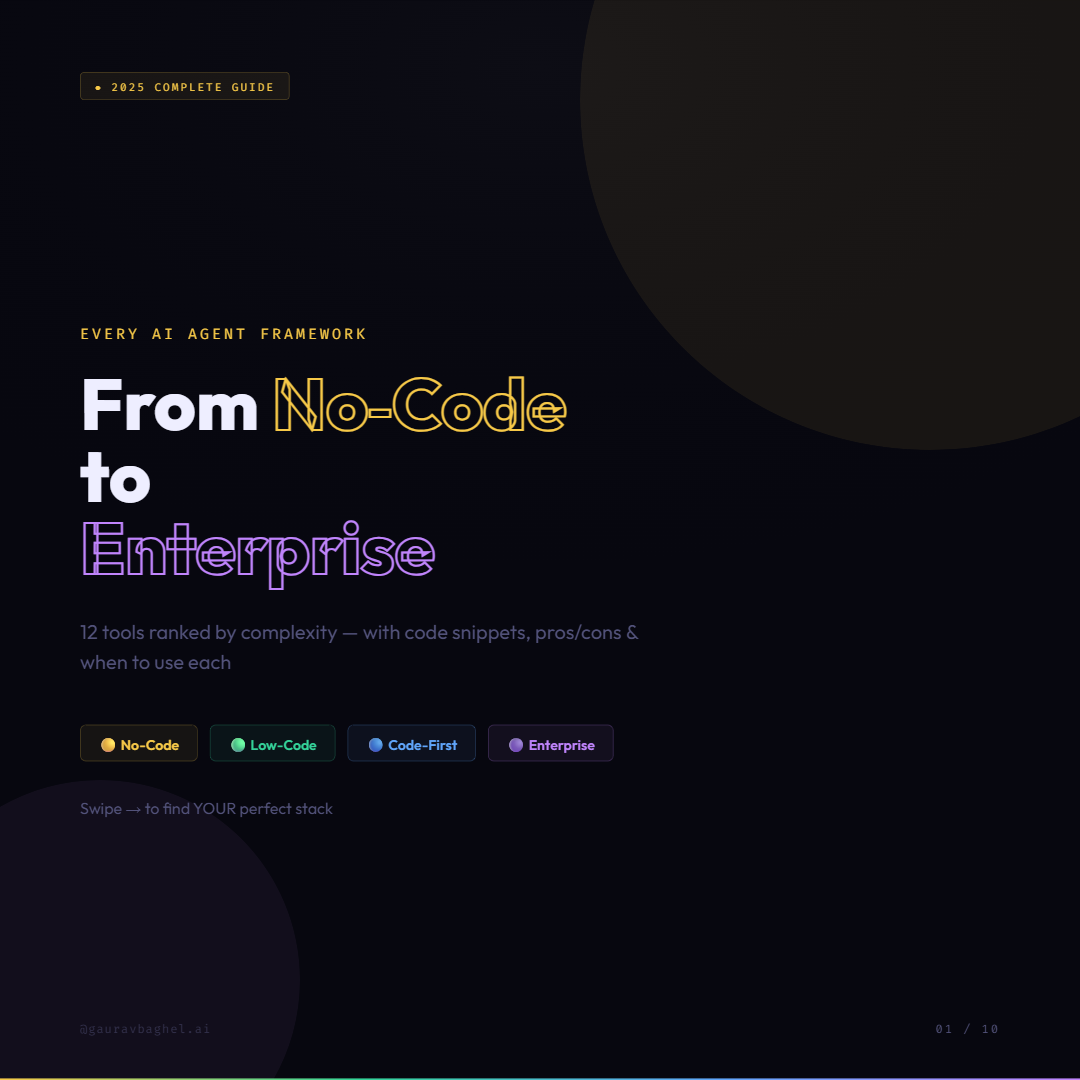
- What is an AI Agent Framework?
- Tier 1: No-Code Frameworks — Zapier AI, n8n, Langflow
- Tier 2: Low-Code Frameworks — AgentGPT, OpenAI Agents SDK
- Tier 3: CrewAI — Role-Based Multi-Agent Teams
- Tier 3: AutoGen — Conversational Agent Collaboration
- Tier 3: LangGraph — Stateful Graph-Based Workflows
- More Code-First Tools — Smolagents, LlamaIndex, Agno
- Tier 4: Enterprise Grade — Semantic Kernel
- Full Comparison Table
- Which Framework Should YOU Use?
- FAQ
What is an AI Agent Framework?
Before we dive in, let’s get the definition straight. An AI agent is a system that can perceive its environment, reason about a goal, and take actions — including using tools, calling APIs, writing code, or browsing the web — to achieve that goal autonomously.
An AI agent framework is the scaffolding that makes building those systems practical. In 2025, a mature framework typically handles four layers:
- Orchestration — how tasks flow between agents, tools, and LLMs
- Memory & State — what the agent remembers across steps and sessions
- Tooling — built-in connectors for web search, code execution, databases, APIs
- Observability — tracing, logging, debugging, and evaluation in production
Overall, the frameworks span a wide spectrum from drag-and-drop no-code tools to highly flexible code-first systems. We have organized them into four tiers based on technical complexity and control — choose the tier that matches your team’s skills and project requirements.
Tier 1: No-Code AI Agent Frameworks
For starters, these tools require zero programming knowledge. You build agent workflows visually through drag-and-drop interfaces, pre-built templates, and point-and-click logic. Perfect for non-technical founders, operations teams, and marketing automation.
Tier 2: Low-Code AI Agent Frameworks
These tools require minimal Python knowledge but significantly reduce boilerplate. You write code, but the framework handles the heavy lifting — tool registration, agent loops, memory management, and handoffs.
CrewAI — Role-Based Multi-Agent Collaboration
Specifically, CrewAI models multi-agent systems the way humans think about teams. You define Agents with specific roles, goals, and backstories. You define Tasks that need to be done. And you create a Crew that orchestrates who does what, in which order.
👥 CrewAI
from crewai import Agent, Task, Crew
from crewai_tools import SerperDevTool

search_tool = SerperDevTool()

# Define specialized agents with roles
researcher = Agent(
    role="AI Research Analyst",
    goal="Find latest AI news and trends",
    backstory="Expert researcher with 10 years in tech journalism",
    tools=[search_tool],
    verbose=True
)

writer = Agent(
    role="Content Writer",
    goal="Write engaging blog posts from research findings",
    backstory="Creative writer specializing in tech content",
    verbose=True
)

# Define tasks
research_task = Task(
    description="Research top 5 AI agent frameworks in 2025",
    expected_output="A structured report with key findings",
    agent=researcher
)

write_task = Task(
    description="Write a 1000-word blog post from the research",
    expected_output="A complete, engaging blog post",
    agent=writer
)

# Assemble the crew and run
crew = Crew(
    agents=[researcher, writer],
    tasks=[research_task, write_task],
    verbose=True
)

result = crew.kickoff()
print(result)
✅ Pros
- Fastest to prototype multi-agent workflows
- YAML-driven approach keeps code clean
- 700+ tool integrations out of the box
- Sequential, hierarchical & parallel workflows
- Built-in memory across agents
- Enterprise features: HIPAA & SOC2 compliant
❌ Cons
- Less flexible for highly dynamic workflows
- Can struggle with complex graph-based logic
- Customization requires more effort as needs grow
Best for: Content production pipelines, report generation systems, research-and-write workflows, quality assurance automation — any workflow you can model as “a team with defined roles”.
AutoGen — Conversational Multi-Agent Framework
In contrast, Microsoft’s AutoGen takes a fundamentally different approach to multi-agent systems. Instead of role-based task assignment, AutoGen models agent collaboration as a conversation. Agents communicate through natural language messages, and complex tasks emerge from the back-and-forth between them.
💬 AutoGen
from autogen import AssistantAgent, UserProxyAgent

# LLM configuration
llm_config = {"model": "gpt-4o", "api_key": "your-api-key"}

# AI assistant agent
assistant = AssistantAgent(
    name="AI_Assistant",
    llm_config=llm_config,
    system_message="You are a helpful data scientist."
)

# User proxy — can execute code autonomously
user_proxy = UserProxyAgent(
    name="User_Proxy",
    human_input_mode="NEVER",
    max_consecutive_auto_reply=10,
    code_execution_config={
        "work_dir": "workspace",
        "use_docker": False
    }
)

# Kick off conversation
user_proxy.initiate_chat(
    assistant,
    message="Analyse the sales data in sales.csv and create a visualisation"
)
✅ Pros
- Native code writing and execution
- Human-in-the-loop built in
- Async messaging support
- AutoGen Studio — visual GUI for prototyping
- Deep Azure OpenAI integration
❌ Cons
- Conversations can be hard to control precisely
- Debugging agent conversations is tricky
- Requires solid Python knowledge
Best for: Code generation and execution tasks, data analysis pipelines, research assistants, customer support bots, any workflow requiring flexible human-in-the-loop checkpoints.
LangGraph — Stateful Graph-Based Agent Workflows
Notably, LangGraph, built by the LangChain team, represents agents as directed graphs. Each node in the graph is a function or LLM call. Edges define how state flows between nodes. Conditional edges allow complex branching and loops — critical for agents that need to retry, reflect, or take different paths based on intermediate results.
In October 2025, LangGraph reached its 1.0 stable release — the first production-stable major release in the durable agent framework space, with a commitment of no breaking changes until 2.0.
🕸️ LangGraph
from langgraph.graph import StateGraph, END
from typing import TypedDict, Annotated
import operator

# Define your agent's state schema
class AgentState(TypedDict):
    messages: Annotated[list, operator.add]
    task: str
    result: str
    approved: bool

# Define nodes
def planner_node(state: AgentState):
    plan = llm.invoke(state["task"])
    return {"messages": [plan]}

def executor_node(state: AgentState):
    result = execute_plan(state["messages"][-1])
    return {"result": result}

def reviewer_node(state: AgentState):
    score = review(state["result"])
    return {"approved": score > 0.8}

# Routing function — conditional edges
def route_after_review(state: AgentState):
    if state["approved"]:
        return "approved"
    return "retry"

# Build the graph
graph = StateGraph(AgentState)
graph.add_node("planner", planner_node)
graph.add_node("executor", executor_node)
graph.add_node("reviewer", reviewer_node)
graph.set_entry_point("planner")
graph.add_edge("planner", "executor")
graph.add_edge("executor", "reviewer")
graph.add_conditional_edges("reviewer", route_after_review, {
    "approved": END,
    "retry": "planner"
})

app = graph.compile()
result = app.invoke({"task": "Generate a market analysis report"})
✅ Pros
- Most control over agent flow of any framework
- Native state persistence — checkpoint and resume
- Cycles and loops — agents can retry and self-correct
- LangSmith observability — best-in-class tracing
- Human-in-loop with granular interrupts
- Production stable since v1.0 (Oct 2025)
❌ Cons
- Steepest learning curve
- Significant upfront setup time
- Requires deep understanding of graph concepts
- Overkill for simple sequential workflows
Best for: Production agents with complex branching logic, long-running autonomous agents requiring state persistence, workflows needing human approval checkpoints.
More Code-First Frameworks Worth Knowing
🤗 Smolagents — Hugging Face
A deliberately minimal framework from Hugging Face. The core agent loop fits in approximately 1,000 lines of code. Its standout feature is “Code Agents” — agents that write Python code to solve problems rather than calling pre-defined tools. Extremely lightweight by design, it runs fast and is great for teams that want full control without framework overhead.
from smolagents import CodeAgent, HfApiModel, DuckDuckGoSearchTool

agent = CodeAgent(
    tools=[DuckDuckGoSearchTool()],
    model=HfApiModel()
)
agent.run("What are the top 3 open-source LLMs in 2025?")
Best for: Lightweight agents, Hugging Face model users, teams wanting minimal framework with maximum control.
🦙 LlamaIndex
If your agent needs to reason over large volumes of structured and unstructured data — documents, databases, APIs, PDFs — LlamaIndex is the strongest choice. It was designed from the ground up for data-heavy RAG applications, and its agent layer is built on top of that strong data foundation. LlamaIndex and CrewAI complement each other well — LlamaIndex-powered tools can be plugged directly into a CrewAI crew for sophisticated research flows.
Best for: Knowledge-intensive agents, document Q&A, enterprise data assistants, data-heavy RAG applications.
🚀 Agno
A newer framework with a clean Python SDK and optional managed cloud platform. Agno supports multi-model workflows, built-in monitoring, and a fast path from local development to production deployment. Worth watching if you want a modern alternative to LangChain without the historical complexity baggage.
Best for: Teams wanting fast dev-to-production pipeline with built-in monitoring and multi-model support.
Tier 4: Enterprise-Grade Frameworks
These frameworks are designed for large organisations with compliance requirements, existing enterprise infrastructure, and the need for audit trails, access control, and SLA guarantees.
🪟 Semantic Kernel
“Production-ready AI SDK for .NET, Python & Java. Built for regulated industries.”
Microsoft’s enterprise AI framework supports Python, C# (.NET), and Java — making it the only framework here that works natively in non-Python enterprise environments. Deep Azure OpenAI integration, built-in plugin system, and compliance-first design make it the go-to for banking, healthcare, and legal tech.
from semantic_kernel import Kernel
from semantic_kernel.connectors.ai.open_ai import AzureChatCompletion

kernel = Kernel()
kernel.add_service(AzureChatCompletion(
    deployment_name="gpt-4o",
    endpoint="your-azure-endpoint",
    api_key="your-key"
))

# Add a plugin (tool collection)
kernel.add_plugin(CompliancePlugin(), plugin_name="compliance")

# Invoke a specific function from the plugin
result = await kernel.invoke(
    "compliance",
    "ReviewContract",
    contract_text=document_text
)
Best for: Enterprises on Azure, regulated industries (banking/healthcare/legal), .NET shops, any organisation needing compliance certifications out of the box.
Full Comparison Table: All 12 Frameworks
| Framework | Tier | Skill Level | Best Use Case | License |
|---|---|---|---|---|
| Zapier AI | No-Code | None | App automation | Proprietary |
| n8n | No-Code | Basic logic | Visual AI workflows | Open Source |
| Langflow | No-Code | Basic | RAG & agent prototyping | Open Source |
| AgentGPT | Low-Code | None | Goal-oriented agents | Open Source |
| OpenAI Agents SDK | Low-Code | Python basics | OpenAI-native agents | Open Source |
| CrewAI | Code-First | Python mid | Role-based agent teams | Open Source |
| AutoGen | Code-First | Python mid | Conversational agents | Open Source |
| LangGraph | Advanced | Python expert | Complex stateful workflows | Open Source |
| Smolagents | Code-First | Python mid | Lightweight code agents | Open Source |
| LlamaIndex | Code-First | Python mid | Data-heavy RAG agents | Open Source |
| Agno | Code-First | Python mid | Fast dev-to-production | Open Source |
| Semantic Kernel | Enterprise | Python/.NET | Azure enterprise AI | Open Source |
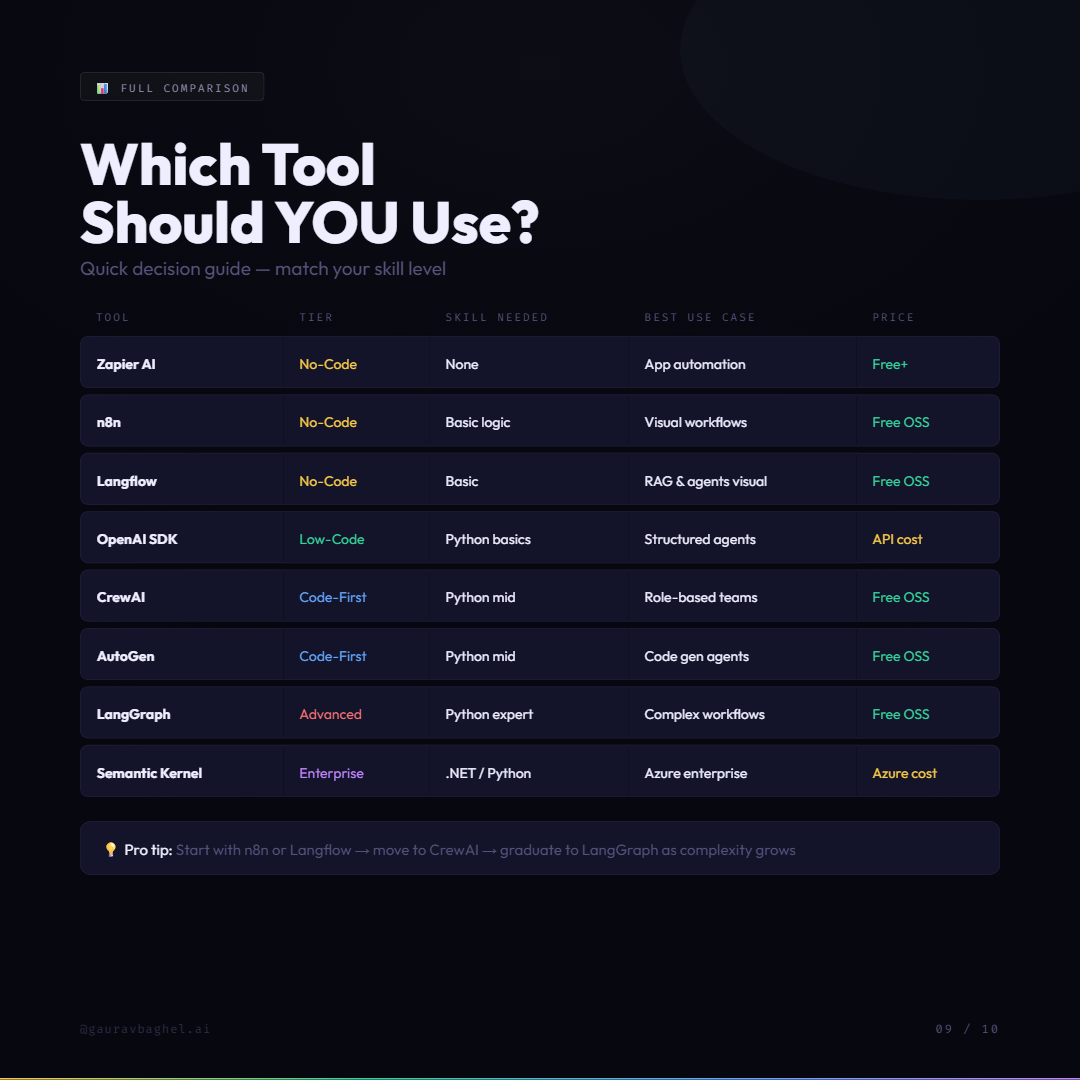
Which Framework Should YOU Use?
🎯 Quick Decision Guide
Frequently Asked Questions
Conclusion
The AI agent framework landscape in 2025 is rich, mature, and fast-moving. The right choice depends entirely on your context — your team’s skills, your project’s complexity, and your production requirements.
If you are just starting out: pick one tool and build something real with it. Do not spend weeks comparing frameworks. Start with n8n or CrewAI, ship a working prototype, and let your real-world experience guide you toward more sophisticated tools as you grow.
The most important framework is the one you actually use. Ready to start building? Explore more GenAI guides on gauravbaghelai.com
🚀 Ready to Build Your First AI Agent?
Follow along for weekly GenAI tutorials, code walkthroughs, and framework deep-dives — all built for developers and founders who want to ship real AI products.
Follow on Instagram @gauravbaghel.ai